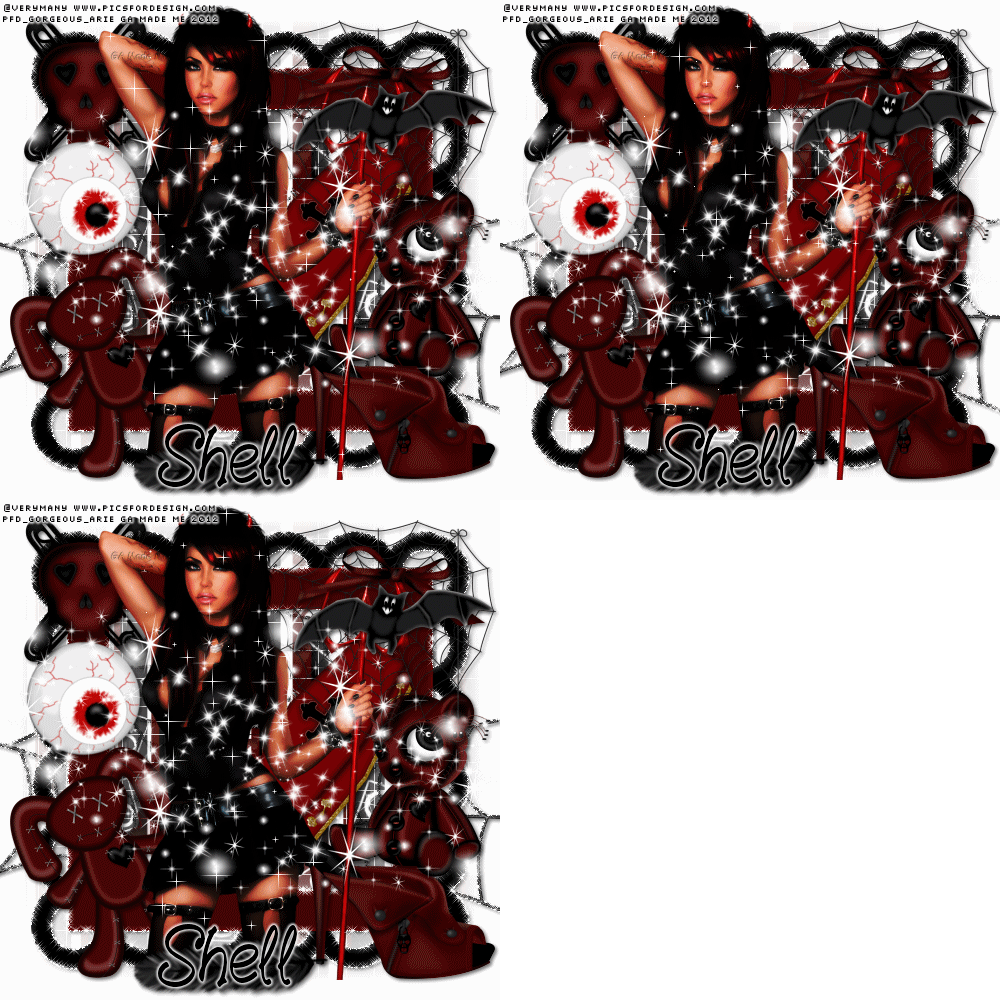
ARTWORK: Artist @ VERYMANY
In Order to use the image in this tutorial you MUST purchase it from PICSFORDESIGN.COM
PSP 9 (Any Version Will Work)
SCRAP KIT: Little Devil from Shell
MASK: Sandra mask no 2
TEMPLATE: NO TEMPLATE
FONT: Fountain Pen
Okay Lets Begin!
Open new canvas 500X500
Paste paper 7 as a new layer.
Activate your mask
Go to load/save mask
Load mask from disk
Find your mask and click load.
Open your frame paste them one by one.
Colorize to your liking with the paper of your choice.
Paste a tube of your choice as a new layer.
Place to your liking then paste your elements as a new layer.
Elements are
frame 2
web 1
spider 1
voodoobunny 1
skullpin 1
bow 2
bat 1
shoe 1
feather 1
coffin 1
eyeball 1
sad teddy 1
my sparkle
Dont forget to put drop shadow of choice to all layers.
Add your name and copyright info
Now will go for my animation sparkle thingy lol
Some are doing different way this is how i did for my animation
:)
Go to layer 3(frame) constellation 2.20 50 60 0 100 75 click ok
Go to layer 5(web spider) constellation click ok
Go to layer 4(tube) vm sparkle click no 20
First layer save them as tag1gif.
now do it again the same method but changing the number of the size :)
Go to layer 3(mask) constellation click random seed 1x
Go to layer 5(web spider) constellation click ok
Go to layer 4(tube) vm sparkle click no 25
Second layer save them as tag2gif.
Go to layer 3(mask) constellation click random seed 1x
Go to layer 5(web spider) constellation click ok
Go to layer 4(tube) vm sparkle click no 30
Third layer saved them as tag3gif.
Lastly open yr jasc animation
Open yr tag1gif,tag2gif,tag3gif
Then view animation
Saved them as gif.
You are done!
Thanks for trying my tutorial.
***Gorgeous Arie 2012***
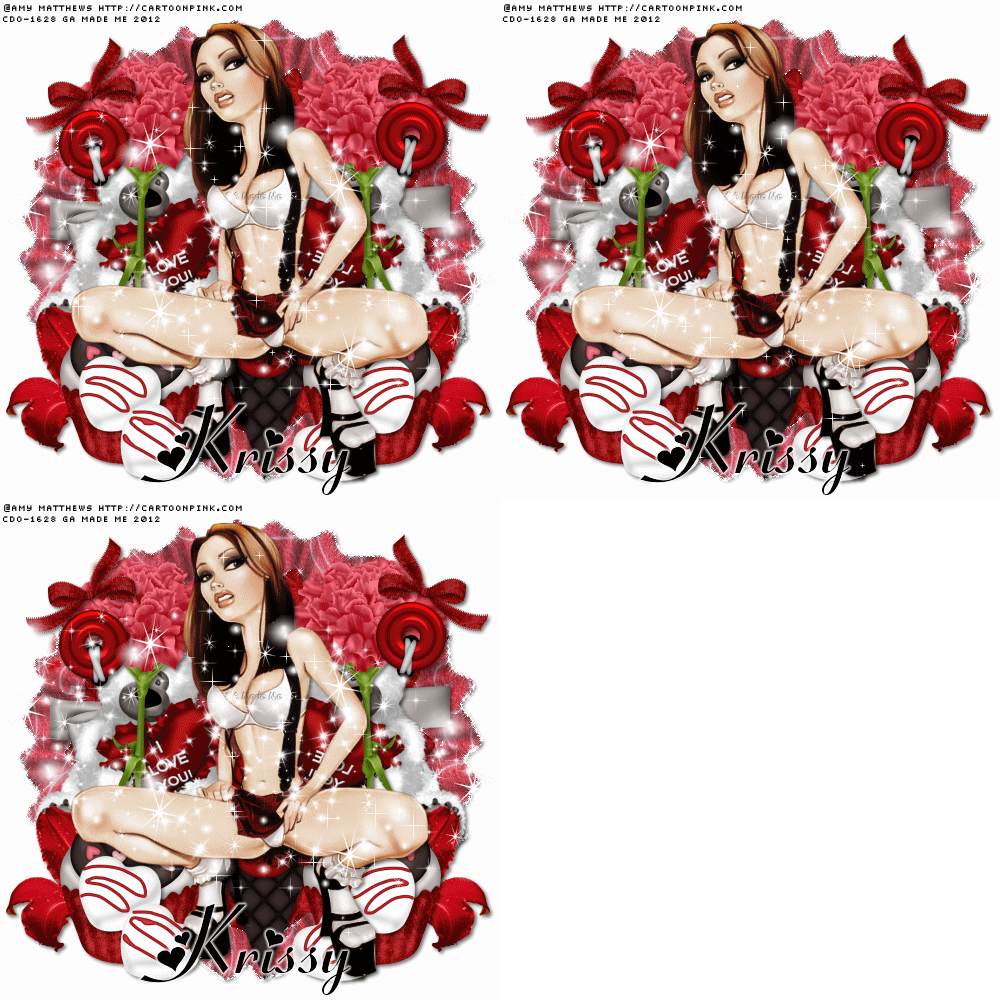
ARTWORK: Artist @ AMY MATTHEWS
In Order to use the image in this tutorial you MUST purchase it from CDO
PSP 9 (Any Version Will Work)
SCRAP KIT: Sticky Sweet from Krissy
MASK: Aqua mask no 24
TEMPLATE: no template
FONT: Fiolex Girls
Okay Lets Begin!
Open new canvas 500X500
Paste paper 7 as a new layer.
Activate your mask
Go to load/save mask
Load mask from disk
Find your mask and click load.
Open your frame paste them one by one.
Colorize to your liking with the paper of your choice.
Paste a tube of your choice as a new layer.
Place to your liking then paste your elements as a new layer.
Elements are
raffled frame 1
beaded heart 3
eyelet brad 1
realistic bloom 1
heart candy 1
heart topped cupcake 1
ribbon wrap 5
sweet bear 2
snow cone
carnahon 3
bowl 1
my sparkles
Pls resize to your liking.
Use my tag above as a guide.
I resize all my elements to 30% to 50%
Dont forget to put drop shadow of choice to all layers.
Add your name and copyright info
Now will go for my animation sparkle thingy lol
Some are doing different way this is how i did for my animation
:)
Go to layer 2(mask) constellation 2.20 50 60 0 100 75 click ok
Go to layer 3(frame) constellation click ok
Go to layer 4(tube) vm sparkle click no 20
First layer save them as tag1gif.
now do it again the same method but changing the number of the size :)
Go to layer 2(mask) constellation click random seed 1x
Go to layer 3(frame) constellation click ok
Go to layer 4(tube) vm sparkle click no 25
Second layer save them as tag2gif.
Go to layer 2(mask) constellation click random seed 1x
Go to layer 3(frame) constellation click ok
Go to layer 4(tube) vm sparkle click no 30
Third layer saved them as tag3gif.
Lastly open yr jasc animation
Open yr tag1gif,tag2gif,tag3gif
Then view animation
Saved them as gif.
You are done!
Thanks for trying my tutorial.
***Gorgeous Arie 2012***
ARTWORK: Artist @ ZLATA
In Order to use the image in this tutorial you MUST purchase it from TPP
PSP 9 (Any Version Will Work)
SCRAP KIT: Monster Lane from Danielle
MASK: Aqua mask no 16
TEMPLATE: NO TEMPLATE
FONT: Snoopy Snails NF
Okay Lets Begin!
Open new canvas 500X500
Paste paper 9 as a new layer.
Activate your mask
Go to load/save mask
Load mask from disk
Find your mask and click load.
Open your bone frame paste them one by one.
Colorize to your liking with the paper of your choice.
Paste a tube of your choice as a new layer.
Place to your liking then paste your elements as a new layer.
Elements are
bone frame
spider and ghost lights
spooky wordart
magic books with skulls
zombie girl
skeleton cat
spooky tree
monster 2
monster in coffin
spider
halloween hands
skull with bones
halloween cupcake
eye and hat
my sparkle
Dont forget to put drop shadow of choice to all layers.
Add your name and copyright info
You are done!
Thanks for trying my tutorial.
***Gorgeous Arie 2012***