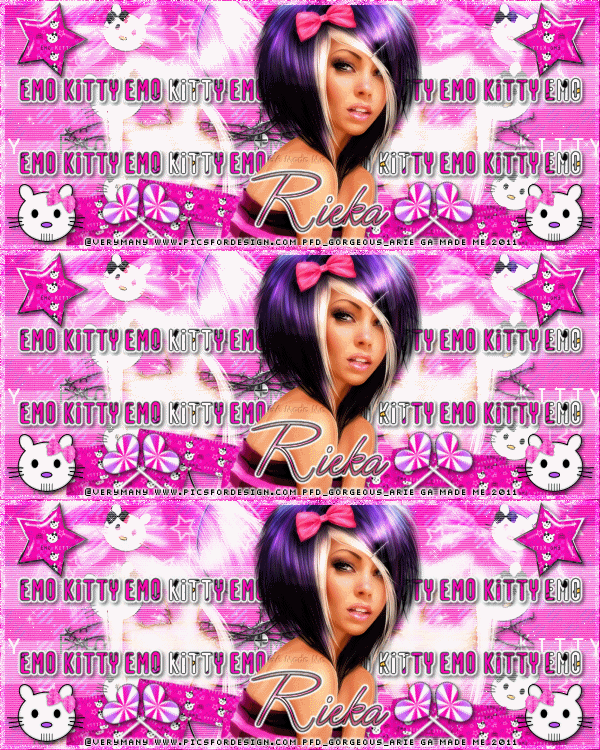
ARTWORK: Artist @ KEITH GARVEY
In Order to use the image in this tutorial you MUST purchase it from PTE
PSP 9 (Any Version Will Work)
SCRAP KIT: Be A Star from Rieka Rafita and Roo (Collab)
MASK: Rieka Mask no 5
TEMPLATE: Missy's Template no 379
FONT: Sick Capital Vice
Okay Lets Begin!
Open new canvas 550X550
Paste paper 1 as a new layer.
Activate your mask
Go to load/save mask
Load mask from disk
Find your mask and click load.
Open your template paste them one by one.
Colorize to your liking with the paper of your choice.
Paste a tube of your choice as a new layer.
Place to your liking then paste your elements as a new layer.
Elements are
E 31
E 33
E 41
E 45
E 44
E 67
E 73
E 74
E 83
E 92
E 97
E 98
my sparkles
Pls resize to your liking.
Use my tag above as a guide.
I resize all my elements to 30% to 50%
Dont forget to put drop shadow of choice to all layers.
Add your name and copyright info
You are done!
Thanks for trying my tutorial.
***Gorgeous Arie 2011***
ARTWORK: Artist @ KEITH GARVEY
In Order to use the image in this tutorial you MUST purchase it from PTE
PSP 9 (Any Version Will Work)
SCRAP KIT: Be A Star from Rieka Rafita & Roo (Collab)
MASK: Rieka mask no 4
TEMPLATE: Missy's Template no 378
FONT: Welltron
Okay Lets Begin!
Open new canvas 550X550
Paste paper 19 as a new layer.
Activate your mask
Go to load/save mask
Load mask from disk
Find your mask and click load.
Open your template paste them one by one.
Colorize to your liking with the paper of your choice.
Paste a tube of your choice as a new layer.
Place to your liking then paste your elements as a new layer.
Elements are
E07
E02
E09
E10
E21
E23
E27
E32
E38
E42
E47
E50
E51
E52
E54
E60
E62
E69
E72
E94
my sparkle
Dont forget to put drop shadow of choice to all layers.
Add your name and copyright info
You are done!
Thanks for trying my tutorial.
***Gorgeous Arie 2011***
ARTWORK: Artist @ ELIAS CHATZOUDIS
In Order to use the image in this tutorial you MUST purchase it from PTE
PSP 9 (Any Version Will Work)
SCRAP KIT: True Blood from Rieka Rafita
MASK: Rieka mask no 4
TEMPLATE: Missy Template No 380
FONT: WaterBrushROB
Okay Lets Begin!
Open new canvas 550X550
Paste paper 9 as a new layer.
Activate your mask
Go to load/save mask
Load mask from disk
Find your mask and click load.
Open your template paste them one by one.
Colorize to your liking with the paper of your choice.
Paste a tube of your choice as a new layer.
Place to your liking then paste your elements as a new layer.
Elements are
wordart 3
wire
wing love
skull fly
ribbon 2
heart
cluster frame
bow 3
cup
lamp
crow
bat
flower 2
frame 2
shoes
jugofblood
sparkle
Pls resize to your liking.
Use my tag above as a guide.
I resize all my elements 30% to 50%
Dont forget to put drop shadow of choice to all layers.
Add your name and copyright info
Saved your tag as png.
You are done!
Thanks for trying my tutorial.
***Gorgeous Arie 2011***

ARTWORK: Artist @ ELIAS CHATZOUDIS
In Order to use the image in this tutorial you MUST purchase it from PTE
PSP 9 (Any Version Will Work)
SCRAP KIT: Pirates Of The Carribean from Rieka Rafita
MASK: Vix mask no 232
TEMPLATE: Collab Template No 4 Missy and Rosey
FONT: Weltron
Okay Lets Begin!
Open new canvas 550X550
Paste paper 8 as a new layer.
Activate your mask
Go to load/save mask
Load mask from disk
Find your mask and click load.
Open your template paste them one by one.
Colorize to your liking with the paper of your choice.
Paste a tube of your choice as a new layer.
Place to your liking then paste your elements as a new layer.
Elements are
water
ship
palm tree
mug
key
gold
flower
flag 1
drinking bottle
cupgold
compas
coin box 1
cannon
box 1
bow
knife 3
sign
tag
sparkle
Pls resize to your liking.
Use my tag above as a guide.
I resize all my elements 30% to 50%
Dont forget to put drop shadow of choice to all layers.
Add your name and copyright info
Saved your tag as png.
You are done!
Thanks for trying my tutorial.
***Gorgeous Arie 2011***